Verifying Flash/SD Card Specs

In today's digital age, data storage devices such as flash drives and SD cards have become an essential part of our lives. It's crucial to ensure data integrity when it comes to taking photographs, using in security cameras, or simply storing important data. Unfortunately, it's not uncommon that the specifications are exaggerated, even for the high-end brands.
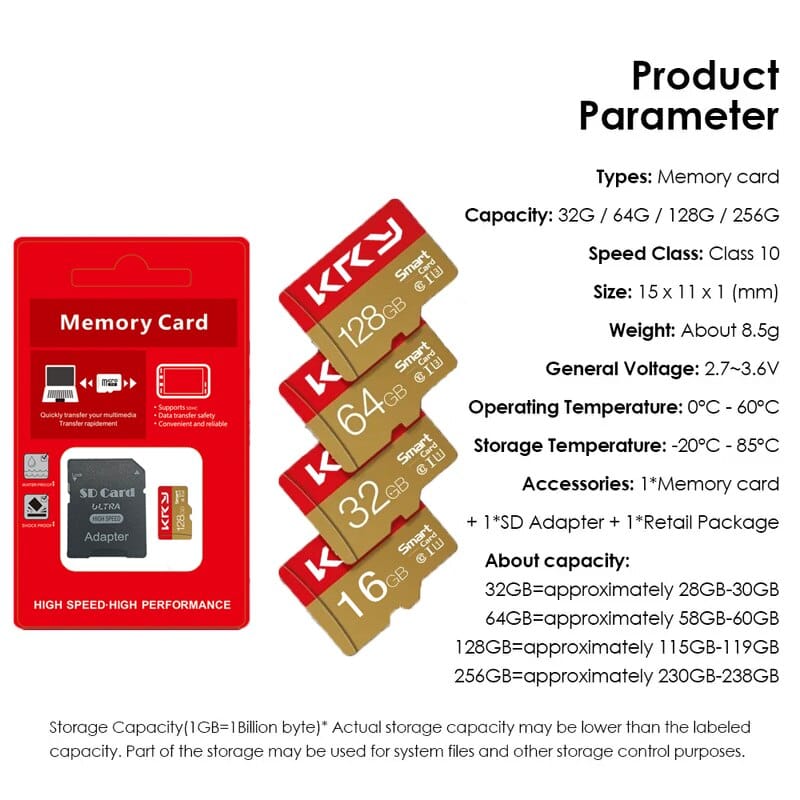
Nowadays, one can find very cheap no-brand micro SD cards with no warranty. So, recently, I bought couple of KRY memory cards (see below) for 1.89 Euro each. The device specs were 64GB of storage capacity, Class 10, and UHS Speed Class of 3 (write 30MB/s, more detailed here). The low-price made me question the reliability of those specs.
Testing
To test the devices, I used the open-source utility, called f3 (Fight Flash Fraud, or Fight Fake Flash). Prior to tests, I formatted the cards to exFat, which is supported by both Windows and macOS operating systems.
Write speed
This test fills the storage by random data. The command is very simple,
$ f3write /Volumes/dev_namewhere, dev_name should be replaced by the actual name of your volume. The result showed 58.19 GB of free space and took around 30 minutes to finish, see below. The average write speed of 34 MB/s is better than expected, and good enough for most use cases.
f3write output
Free space: 58.19 GB
Creating file 1.h2w ... OK!
Creating file 27.h2w ... OK!
Creating file 28.h2w ... 47.40% -- 31.86 MB/s -- 15:20
Creating file 59.h2w ... OK!
Free space: 1.12 MB
Average writing speed: 33.60 MB/s
Read speed
This test reads the data from device to test, and it is a simple command,
$ f3read /Volumes/dev_namewhere, dev_name should be replaced by the actual name of your volume. The results are OK/corrupted/changed/overwritten. The average read speed was 85.50 MB/s for 58.19 GB data. No lost or corrupted data meant that the devices was healthy.
f3read output
$ f3read /Volumes/dev_name
SECTORS ok/corrupted/changed/overwritten
Validating file 1.h2w ... 2097152/ 0/ 0/ 0
Validating file 2.h2w ... 2.88% -- 85.67 MB/s -- 11:17
...
Validating file 59.h2w ... 397549/ 0/ 0/ 0
Data OK: 58.19 GB (122032365 sectors)
Data LOST: 0.00 Byte (0 sectors)
Corrupted: 0.00 Byte (0 sectors)
Slightly changed: 0.00 Byte (0 sectors)
Overwritten: 0.00 Byte (0 sectors)
Average reading speed: 85.50 MB/s